LiveCap
7 Mar 2025 · (19 months ago) · Full Release
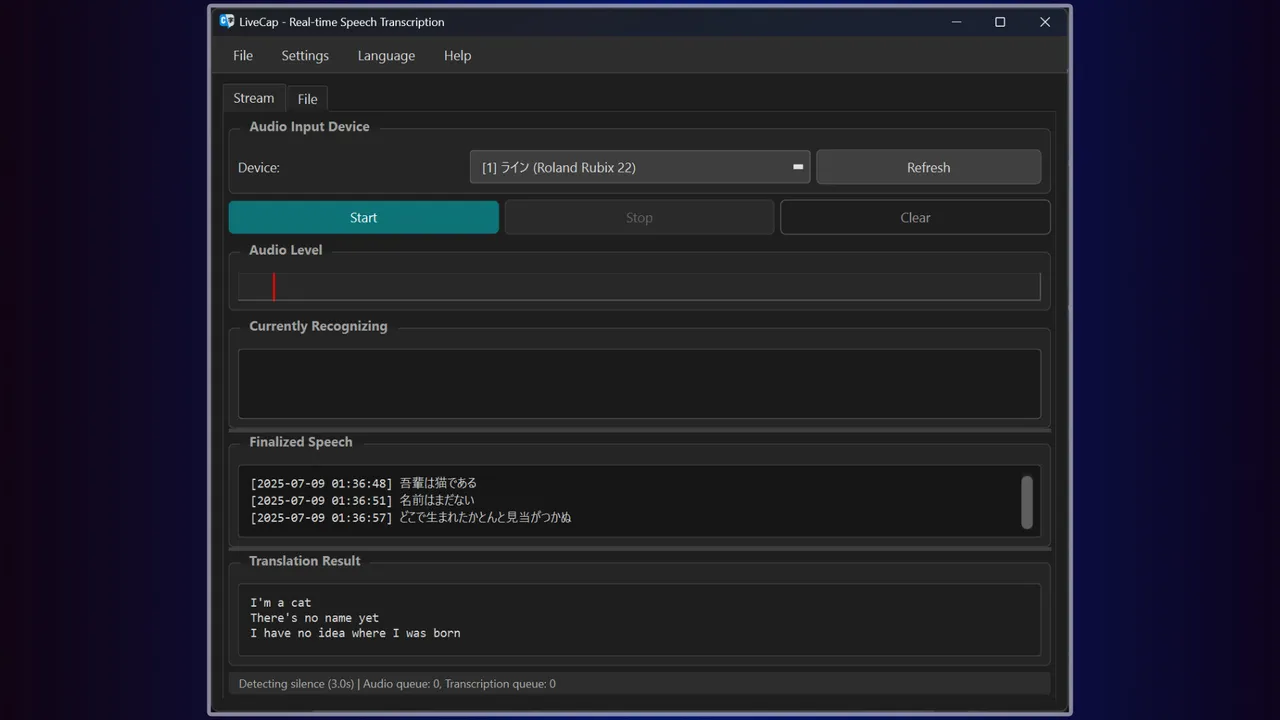
LiveCap is a subtitle generation platform powered by cutting-edge AI technology. This software delivers accurate, real-time subtitles during live broadcasts. In addition to displaying subtitles in your native language, it is capable of translating them into English in real time.
Need a rig? Gaming PCs, handhelds & where to buy →
Developer & Publisher: Pine Lab
About
About this game
LiveCap is a real-time subtitle generation tool designed for streamers and gamers! With powerful speech recognition engines and translation features, break down language barriers and communicate with the world!!
All processing runs locally on your PC. No monthly fees, ever.
What LiveCap Can Do
ð® Real-time SubtitlesJust speak and subtitles appear in real-time. Watch text grow as you talk, then solidify when confirmed. Elevate your stream's engagement instantly!
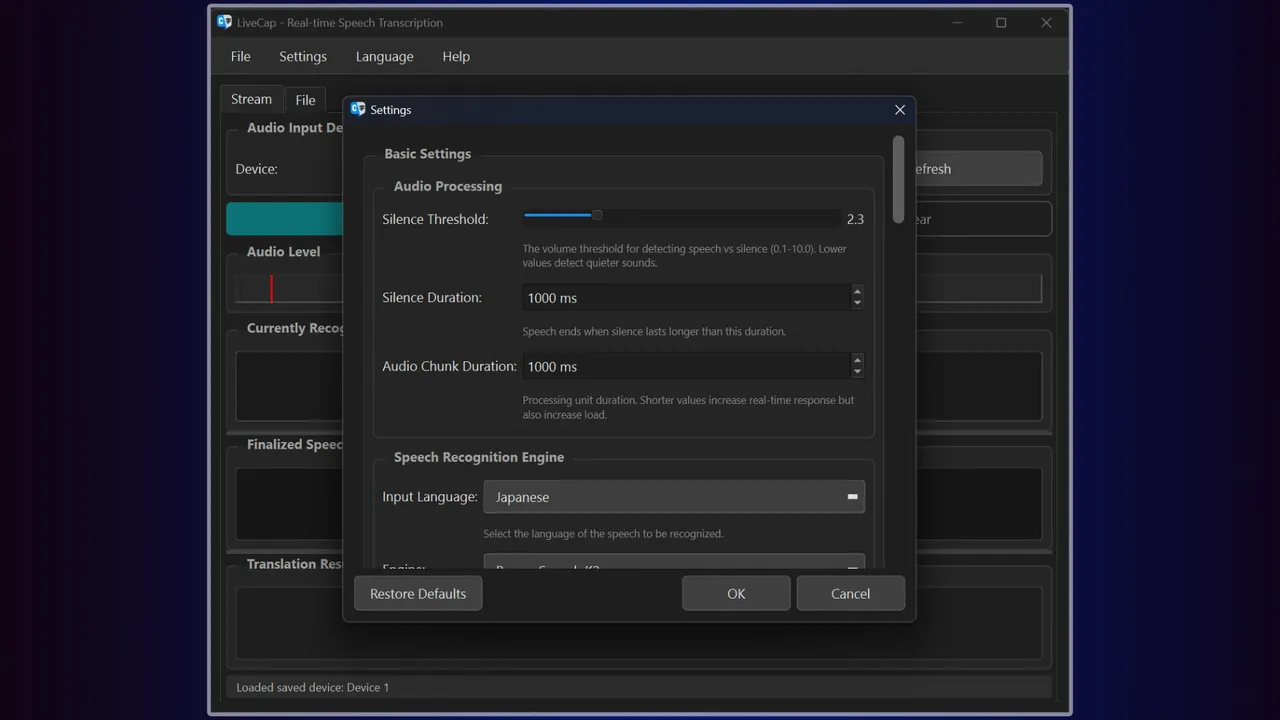
ð Real-time TranslationSpeak in your language, get subtitles in another! Supports 14 languages (Japanese, English, Chinese, Korean, German, French, Spanish, and more). Connect with international viewers effortlessly. Choose between Google Translate and NVIDIA Riva.
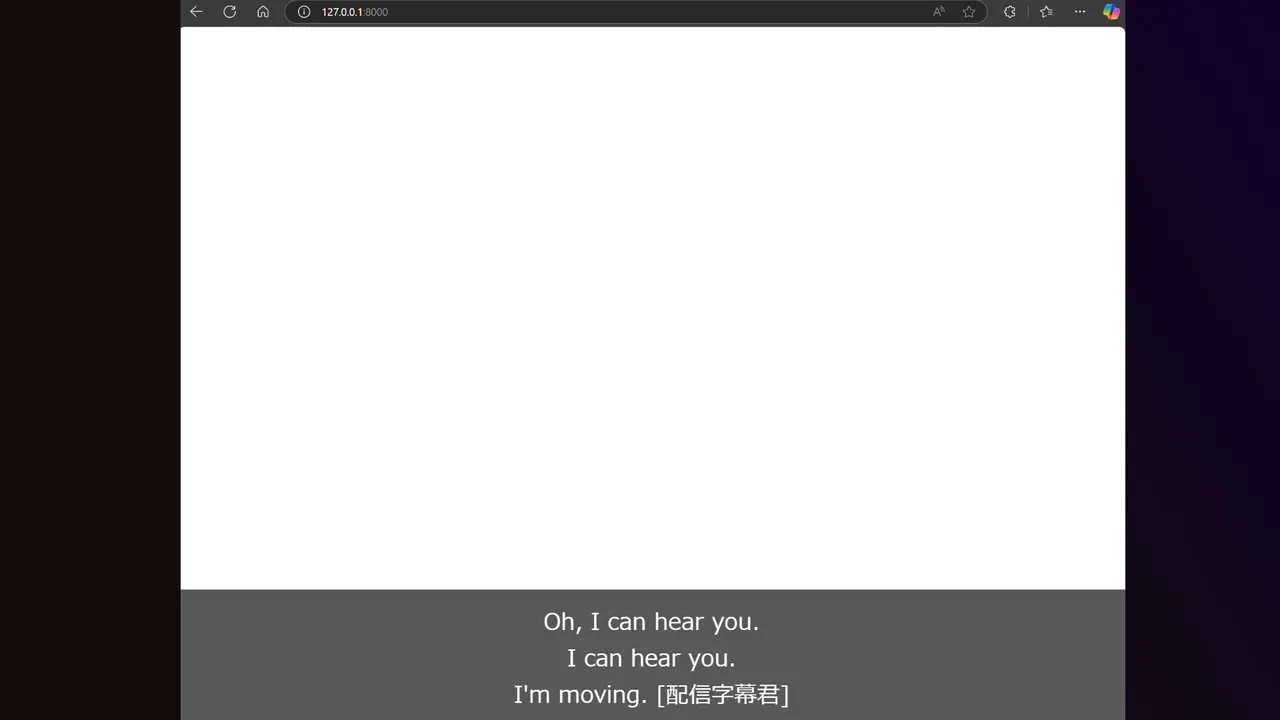
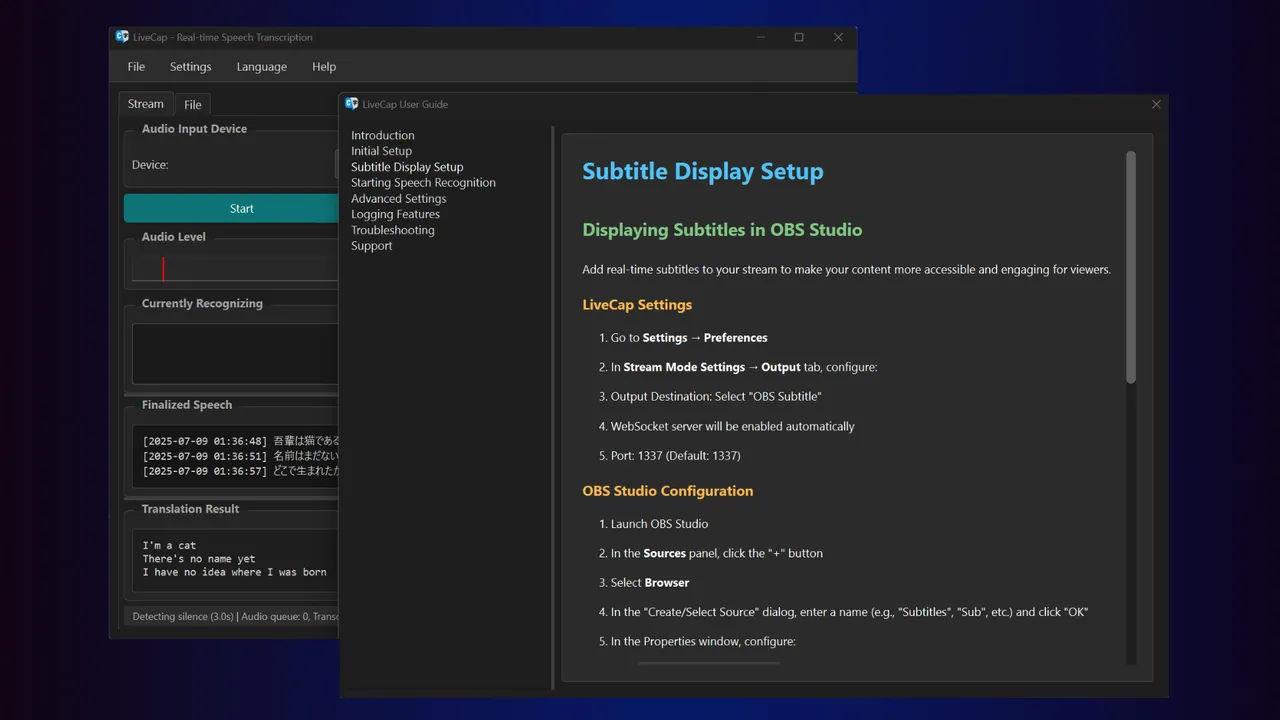
ð¹ OBS IntegrationSimple browser source setup for seamless integration. Fully customizable fonts, colors, strokes, shadows, and transparency. WebSocket API for advanced tool integration.
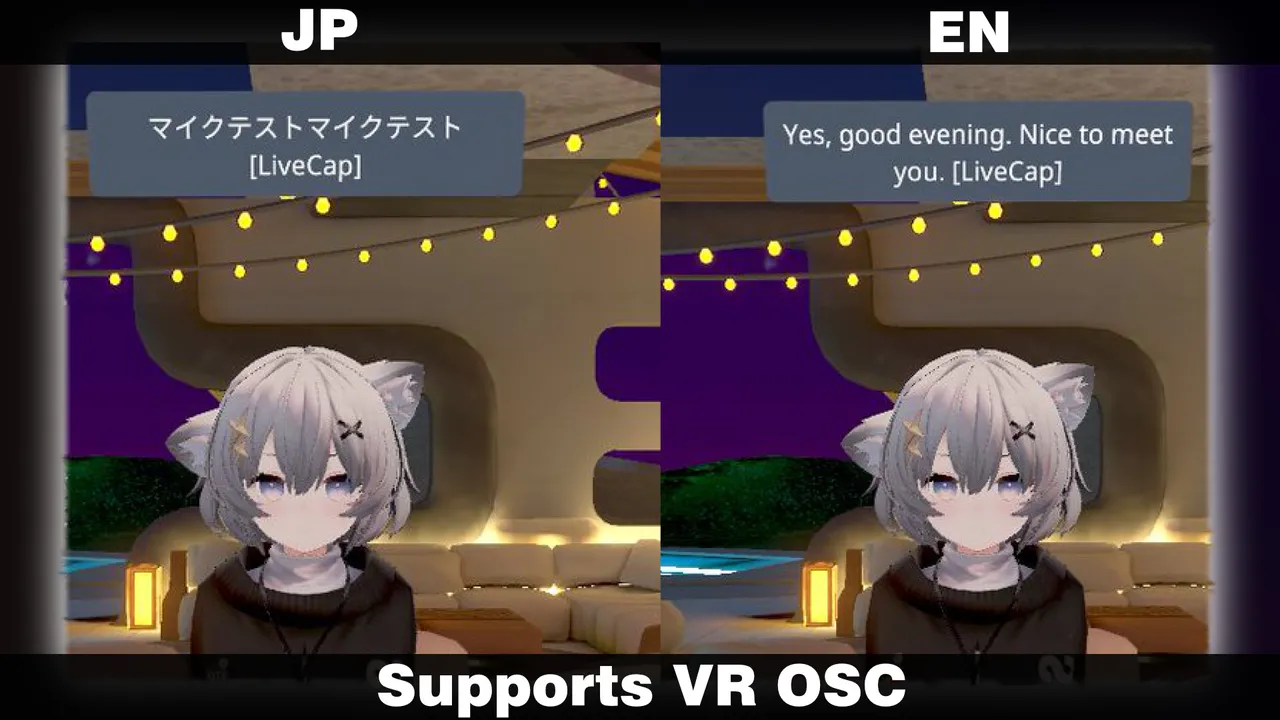
ð VRChat SupportDisplay subtitles in Chatbox via OSC. Perfect for international events! Real-time translation lets you enjoy conversations without language barriers.
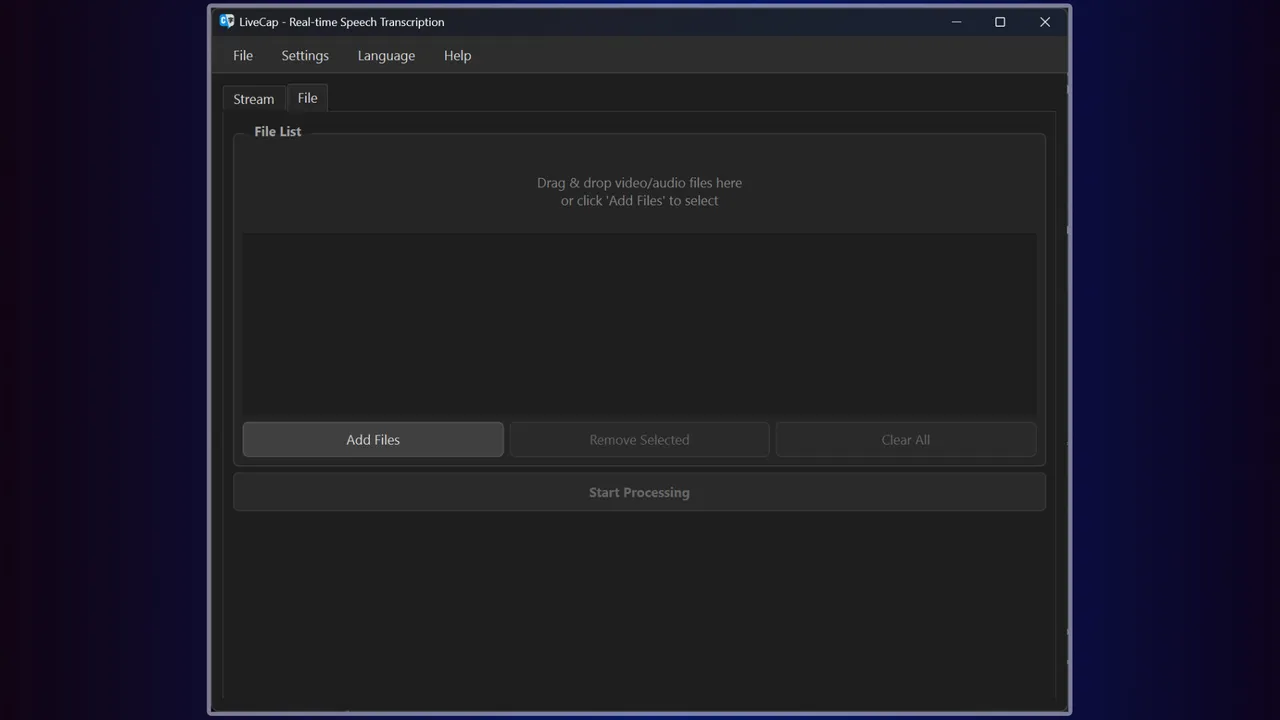
ð Video File Subtitle GenerationDrag & drop videos to auto-generate SRT subtitle files. YouTube-ready format output. Save hours on clip editing!
ðï¸ Online Meetings & PresentationsNever miss important details with real-time subtitles. Easy meeting minutes creation. Accessibility support for hearing-impaired participants.
Choose from 11 Speech Recognition EnginesSelect the perfect engine for your needs and achieve optimal recognition accuracy:
Japanese Specialized
NVIDIA Parakeet TDT CTC 0.6B JA - Trained on 35,000 hours of Japanese audio for supreme accuracy
ReazonSpeech K2 v2 - Lightweight and fast, runs smoothly on low-spec PCs
English Specialized
NVIDIA Parakeet TDT 0.6B v2 - Ultra-high accuracy with WER 6.05%, professional-grade transcription
Multilingual
MistralAI Voxtral Mini 3B - Supports 8 languages with automatic language detection
NVIDIA Canary 1B Flash - Fast processing for English, German, French, and Spanish
WhisperS2T (5 sizes) - OpenAI technology supporting 13+ languages, choose size based on your needs
Not sure which engine? Auto mode has you covered! Automatically detects language and selects the optimal engine.
Why Choose LiveCap?ð Complete Privacy with Local ProcessingYour voice data is never sent externally (text is only sent when using translation). Stream content and meetings stay secure.
â¡ Ultra-Low LatencyLocal processing means no network delays. Enjoy smooth, real-time subtitle display.
ð° Completely Free, No LimitsNo monthly fees, no character limits, no time restrictions (full version). Buy once, use forever.
ð¨ Full Customization FreedomFonts, colors, sizes, positionsâall at your fingertips. Perfect match for your streaming style.
Super Simple Setup!
Launch and select microphone - No complicated configuration needed
Choose an engine - Auto mode optimizes automatically
Set output destination - OBS or VRChat, your choice
That's it! Start using immediately!
System RequirementsMinimum Requirements
Windows 10/11 (64bit)
Intel Core i5 8th Gen / AMD Ryzen 5 3600
8GB RAM
10GB Storage
Recommended Requirements
Intel Core i7 10th Gen / AMD Ryzen 7 5700
16GB RAM
NVIDIA GPU (CUDA support for faster processing)
For NVIDIA Riva Translation
NVIDIA GPU with 8GB+ VRAM required
Supported Formats
Video: MP4, MKV, MOV, AVI, WebM, FLV
Audio: WAV, MP3, M4A, AAC, OGG, FLAC, WMA
Output: SRT subtitle files, WebSocket (for real-time streaming)
Before You BuyTry the free trial version! The trial has a 3-minute limit but includes all features. Test it on your system before purchasing.
SupportNeed help? Join our Discord community! Get answers to questions, request features, report bugs, and connect with our active community.
Documentation and support links available on the Steam page!
Break language barriers and connect with the world!
Start real-time subtitling with LiveCap today!!
Trailers
System requirements
Minimum: Requires a 64-bit processor and operating system OS: Windows 11 Graphics: NVIDIA GeForce RTX 3060 12GB
Features & accessibility
PC system requirements
Minimum: Requires a 64-bit processor and operating system OS: Windows 11 Graphics: NVIDIA GeForce RTX 3060 12GB
Where to buy
official storesReviews
- 83
Screenshots
Do you recommend it?
No member reviews yet — be the first.
Discussions
View all →No discussions yet. Start one →
Aggregated from: steam